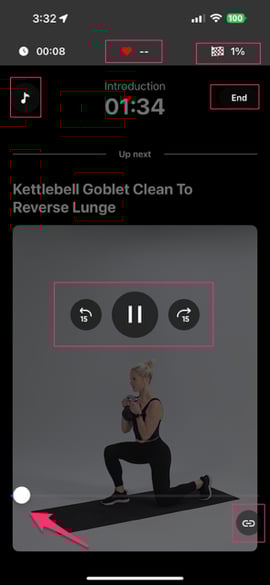
When in a workout, there is options to control settings.
To access the Workout Player, simply tap the screen at any time during the workout. You will then have the opportunity to:
-Pause
-FF ⏩ or Rewind ⏪
-Monitor how far into the workout you are in 🕐 (upper left)
-what percentage you have left to complete.🏁 (upper right)
-🎶 song name & volume
-❤️ heart rate
-slide tool to move forward (prompts exercise overview as well!)
-Device connection option (lower right)