
Apple requires all apps that support in-app purchases to have a Restore Purchase option. It lets you transfer in-app purchases to other devices (such as a new iPhone). You can find it on the M.A.M.A. Fit app by tapping the 3 lines in the upper left hand corner>Settings>Restore Purchase option.
Clicking Restore Purchase will restore your account if you're on a device that shares the same Apple ID as your previous device. Clicking Restore Purchase will not reactivate your subscription if you've already canceled it, nor will it double charge you if you already have a subscription.
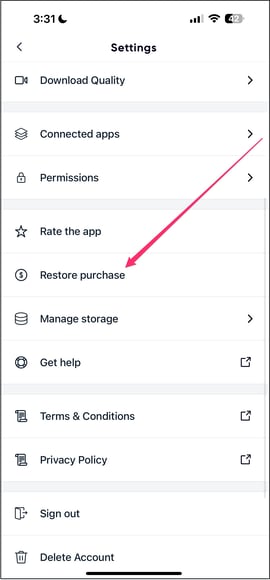
Clicking Restore Purchase will restore your account if you're on a device that shares the same Apple ID as your previous device. Clicking Restore Purchase will not reactivate your subscription if you've already canceled it, nor will it double charge you if you already have a subscription.